Neural Networks: Difference between revisions
Scott Munro (talk | contribs) m (1 revision imported) |
imported>Scott.Munro m (→Model theory) |
||
| Line 5: | Line 5: | ||
== Model theory == | == Model theory == | ||
{{Restricted content}} | |||
<hide> | |||
{{Under construction|section}} | {{Under construction|section}} | ||
</hide> | |||
== Excel == | == Excel == | ||
Revision as of 14:26, 1 May 2025
Description
This article describes methods for training and deploying neural network models.
Model theory
 This content is available to registered users. Please log in to view. This content is available to registered users. Please log in to view.
|
Excel
 This section is currently under construction. Please check back later for updates and revisions. This section is currently under construction. Please check back later for updates and revisions.
|
The Neural Network training method may be invoked from the Excel formula bar with the following function calls:
=mdNeuralNet_Train(Parameters as Range, TrainingData as Range, Optional TestData as Range = Nothing)
Invoking the function with no arguments will print Help text associated with the model, including a link to this page.
An example image below shows the selection of the input parameters and model results in the Excel interface:
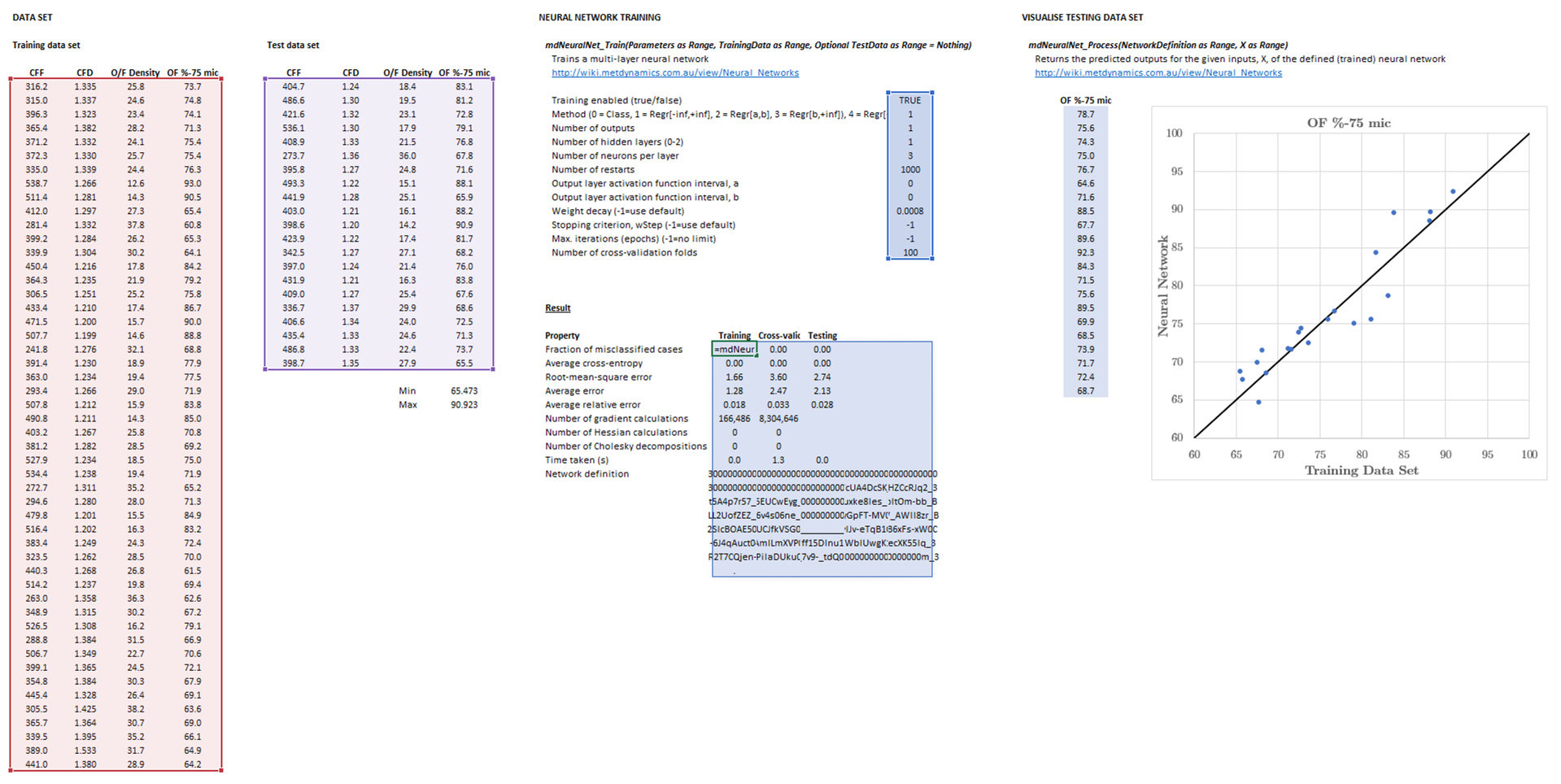 Figure 1. Example showing the selection of the Parameters (blue frame), TrainingData (red frame), TestData (purple frame), and Results (light blue frame) arrays in Excel.

The Neural Network processing method may be invoked from the Excel formula bar with the following function calls:
=mdNeuralNet_Process(NetworkDefinition as Range, X as Range)
Invoking the function with no arguments will print Help text associated with the model, including a link to this page.
An example image below shows the selection of the input parameters and model results in the Excel interface:
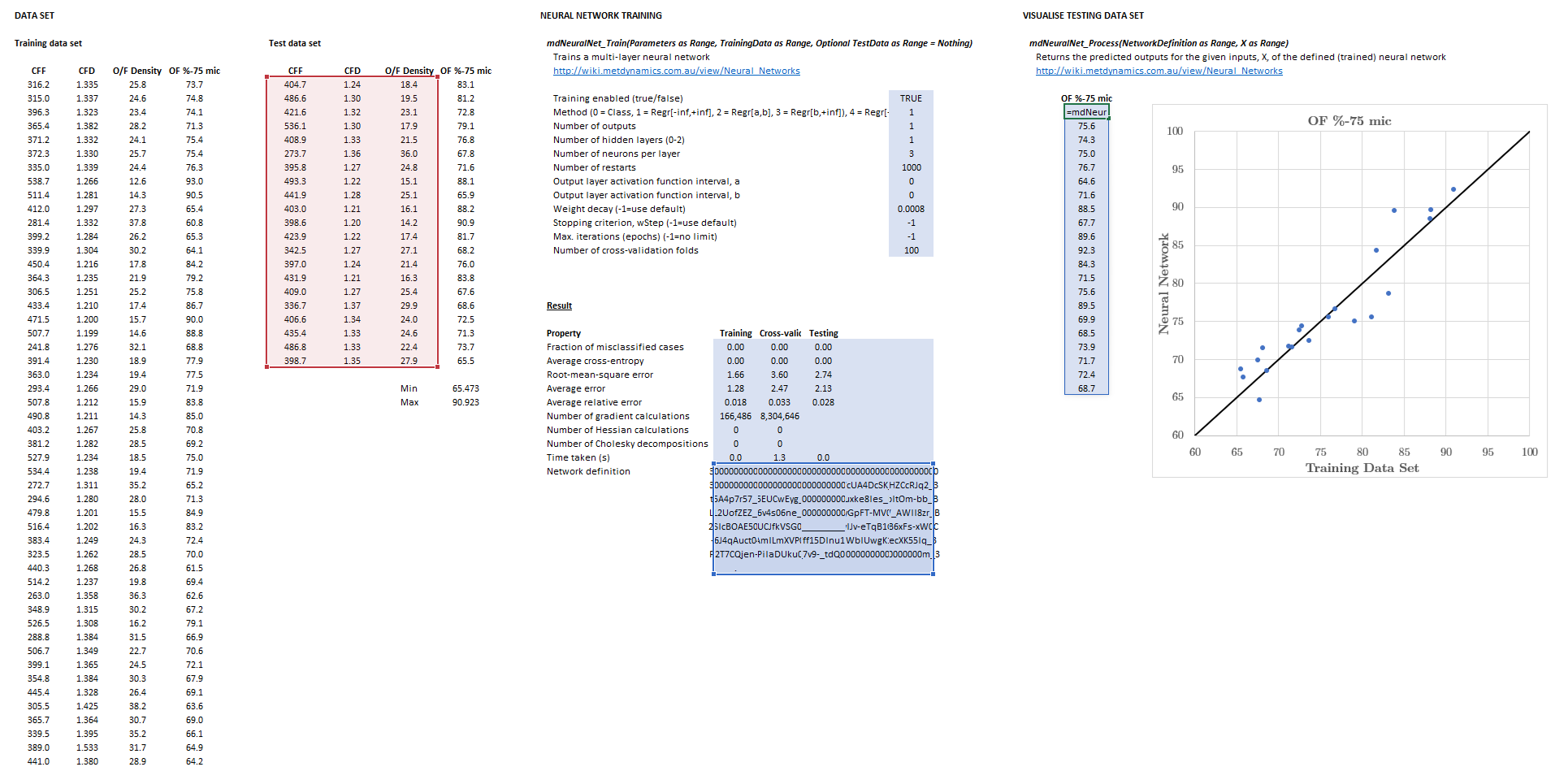 Figure 2. Example showing the selection of the NetworkDefinition (blue frame), X (red frame), and Results (light blue frame) arrays in Excel.

SysCAD
| This section is currently under construction. Please check back later for updates and revisions.
|